Data security
Your plant data is yours
This page explains who owns the plant data that enters the SolarDetech platform, who can access it, how it is protected and how long it is kept.
Summary
| Ownership | Your plant data belongs to you. |
|---|---|
| Retention | Kept for as long as you use the platform, deleted on request. |
| Encryption | Data is encrypted in transit and at rest. |
| Access | Access is defined through teams and roles per plant. Every request passes identity and permission checks. |
| Requests | info@solardetech.com |
Your plant data belongs to you
Raw frames, orthomosaic maps, inspection reports and panel records belong to you. SolarDetech processes this data to carry out the inspection and to provide the platform to you. SolarDetech may use anonymised data for product development.
Your plant is opened on the platform as a record owned by your company or by you. The plant's administrators decide who joins the team, which role each person gets and who is removed. The plant owner can transfer ownership to another user.
How long data is kept
Your data is stored encrypted on enterprise cloud infrastructure for as long as you use the platform, and deleted on request. The inspection report is also delivered to you as a PDF.
| Data | Used for |
|---|---|
| Plant record, panel identities and findings | The digital twin, panel history and workflows |
| Raw thermal and RGB frames | Verifying findings and tracing them back to the raw frame |
| Orthomosaic maps and inspection reports | The plant map and the delivered report |
| Account and sign-in details | Signing in and permissions |
What you write in this site's contact form is kept apart from the platform. Where this information is sent and how long it is kept are explained in the privacy notice. Privacy notice
Who can access it
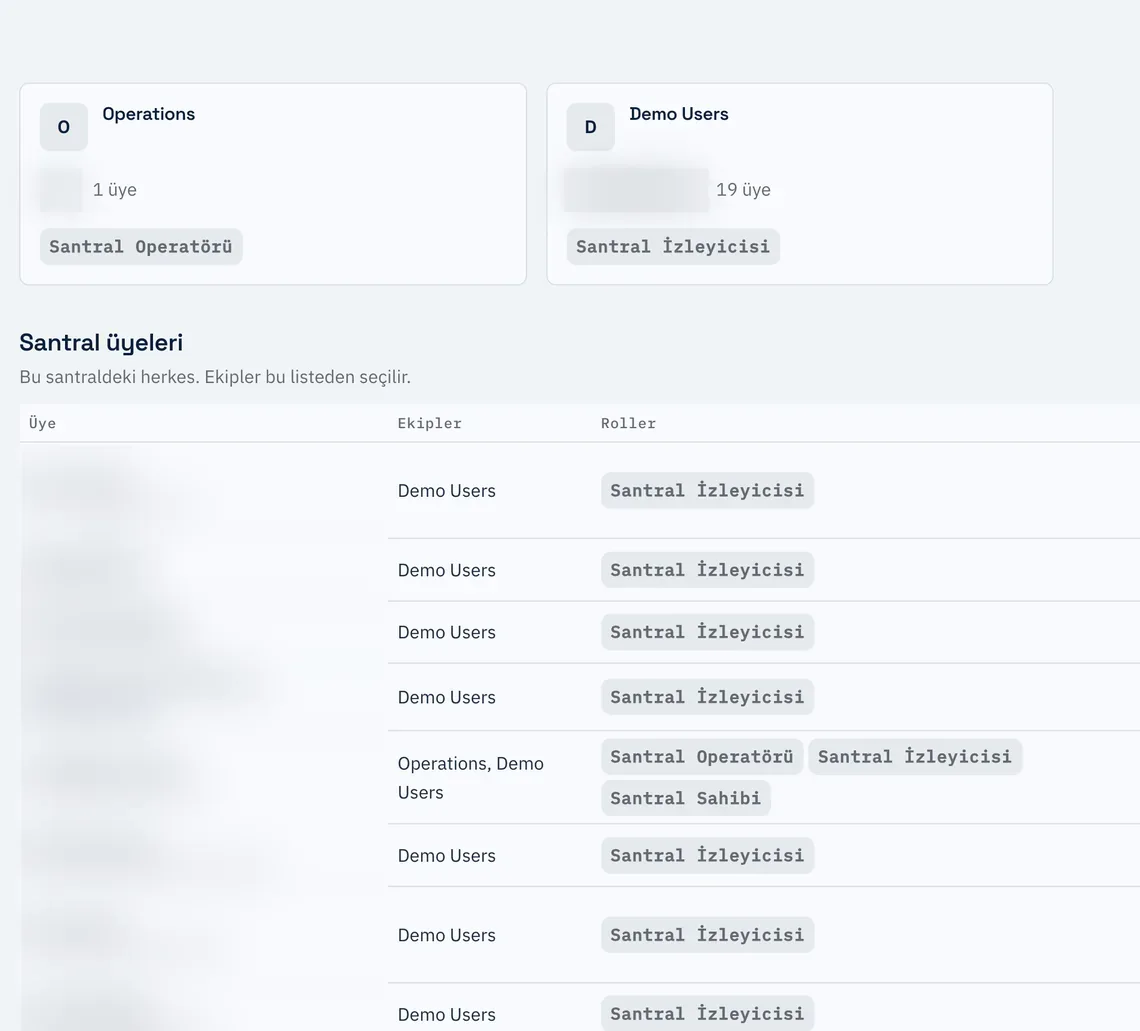
A user reaches a plant only by being added to one of that plant's teams. There is no plant access outside team membership. A person's permissions on a plant are made up of the roles of the teams they belong to.
People from outside your company can also be added to a plant team. This allows a maintenance contractor, for example, to work on that plant only without joining your company account. When a person is removed from the team, their plant access is revoked.
| Role | Permissions |
|---|---|
| Plant Viewer | Sees the plant record, the panels and the plant structure. |
| Plant Operator | In addition to the viewer, writes to panel records and the plant structure. |
| Plant Administrator | In addition to the operator, updates plant details and manages teams and members. |
| Plant Owner | In addition to the administrator, transfers ownership to another user. |
Partner integrations are subject to the same rule. A partner can access only the plants whose team it has been added to. When the integration is removed, the related team and permissions are deleted.
The SolarDetech team accesses plant data only as far as processing the inspection and running the platform require.
How data is protected
- Connection
- The platform is accessible only over HTTPS. Traffic between your browser and the platform is encrypted.
- Storage
- Data is stored encrypted.
- Imagery
- Raw frames and maps are not served from a public address. Only authorised users can access them, through time-limited links.
- Permission checks
- Every request to platform data passes authentication and a permission check based on role and team membership.
- Keys
- Passwords and service keys are not kept in code. They are stored in a separate, protected environment.
Service providers
The platform works with selected service providers for the tasks below. Each provider is used only for the stated purpose.
| Service | Used for |
|---|---|
| Enterprise cloud infrastructure | The platform's services, database and file storage |
| Authentication | Sign-in and account verification |
| Large file transfer | Transferring imagery through the upload link the platform provides when you fly your own drone |
| Platform invitation and account setup e-mails | |
| Base map | The base map under the plant map |
| Weather data | Weather conditions on flight days. No account details are shared in the queries. |
Privacy and your requests
You can exercise your rights over your personal data under KVKK article 11 by writing to info@solardetech.com.
You can also write to the same address to request deletion of your plant data or for any other request.
Send us your question
You can send your data security questions or your organisation's security questionnaire through the contact page. Our team will respond to your questions.